


Последно разглеждани позиции
Влезте, за да се запознаете със списъка с артикулите
Любими
Влезте, за да се запознаете със списъка с артикулите
To register for an auction, follow the steps below.
1. Find and select an auction and an item interesting to you.
2. Click the Register for an auction button located below the name of the auction or on the page of the selected lot.
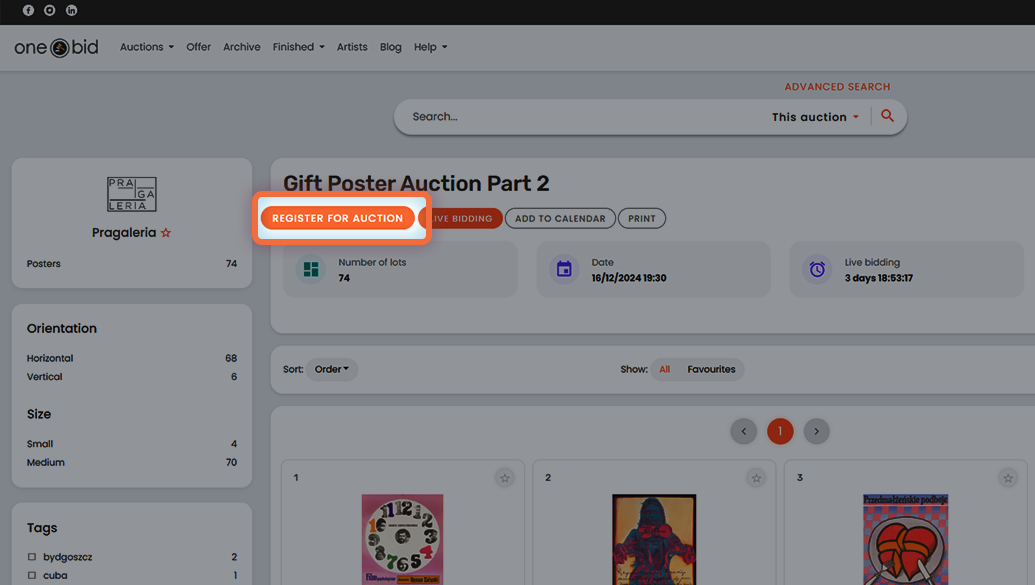
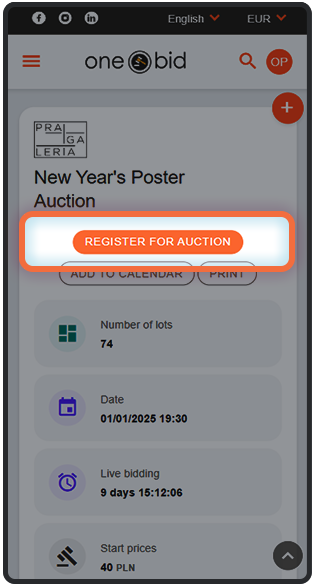
3. If your account details haven’t been filled in previously, a form will appear for you to complete. Enter your information and confirm by clicking the Save button.
4. Accept the auction terms and conditions by checking the statement I accept the auction terms and conditions located below the terms text.
5. Confirm your intention to submit your application by clicking the Register for the auction button located at the bottom of the page.
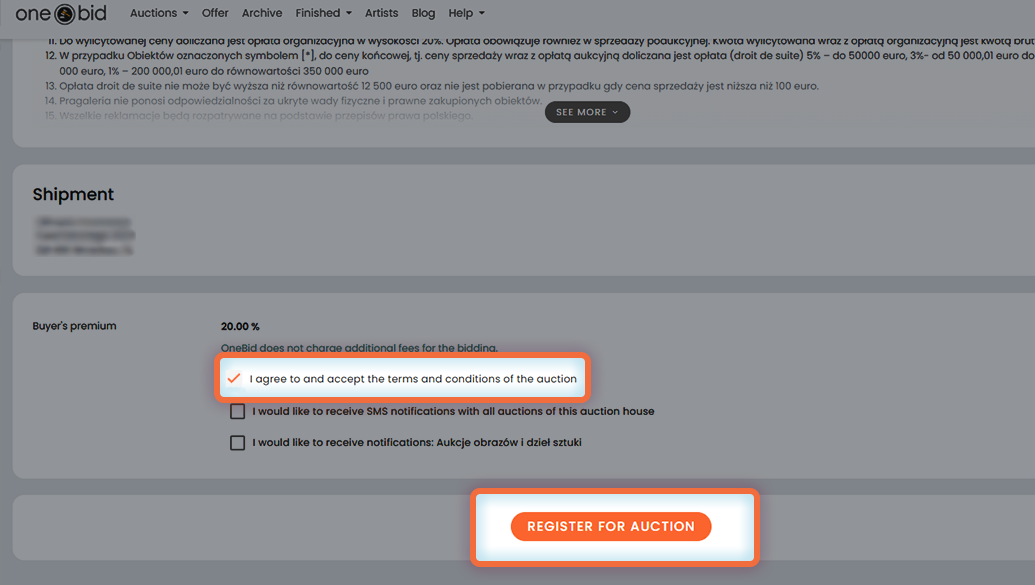
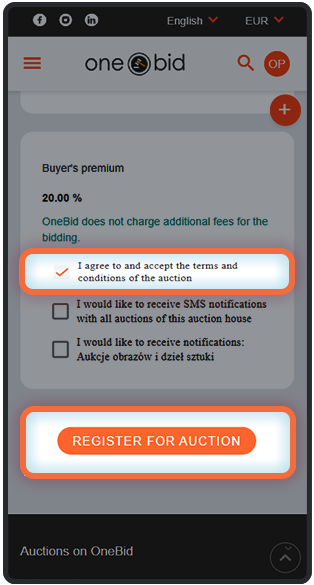
6. After you submit your application, the auction organizer will decide whether to approve your participation. You will be notified of their decision by email.
Important!For some auctions, you will also need to accept additional terms or specify a maximum spending credit, which will limit the amount you can spend. You can find more information about the spending credit in the section What is spending credit?
Important! Since the organizer needs to approve your application, we recommend that you consider registering for the auction ahead of time.